
















01 / MOYU
Branding window
Your main color, your welcome message
Add customer service and set up business grouping and branding windows.
View full image ↗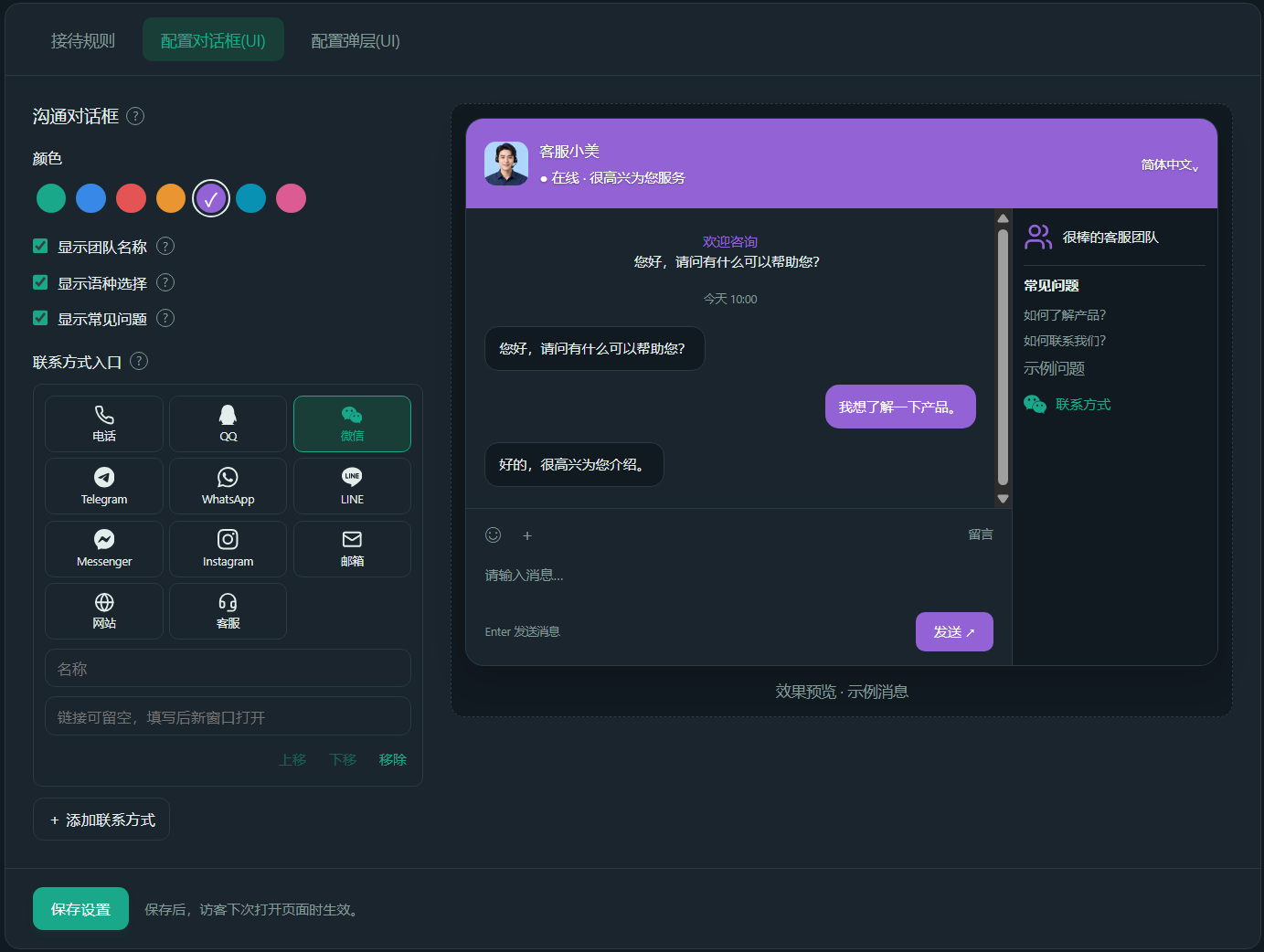
Connect your customers, team and business in one workspace.
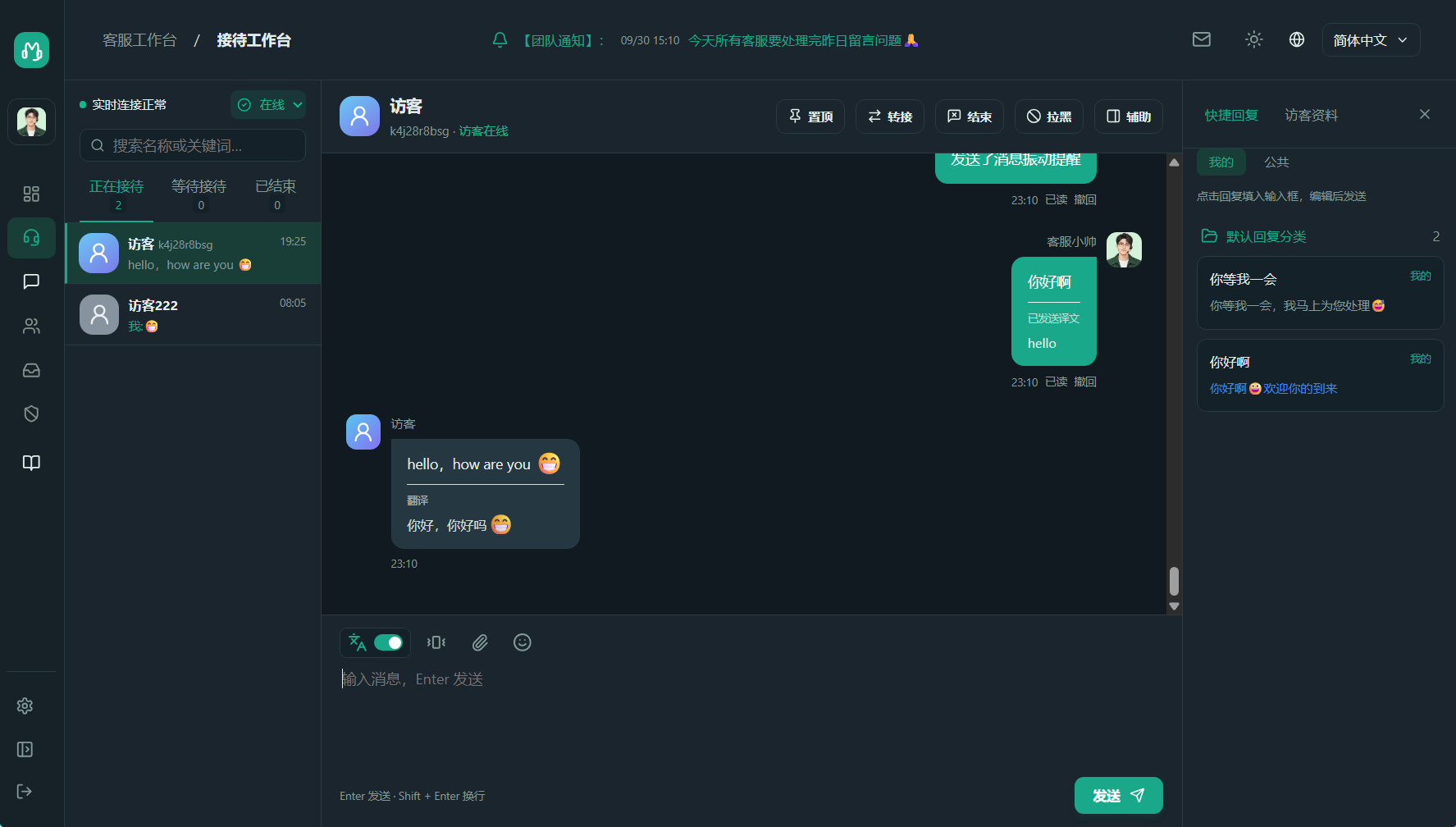
Interface language to connect different markets
Independent work spaces for merchants and customer service
Computer and mobile phone, adaptive reception
Web components and exclusive access links
Let the system handle the busywork.
Give your team time for what matters: your customers.
Your main color, your welcome message
Add customer service and set up business grouping and branding windows.
View full image ↗Web components and exclusive access links
Add the access code to the website, and customer service will be online to respond to inquiries.
View full image ↗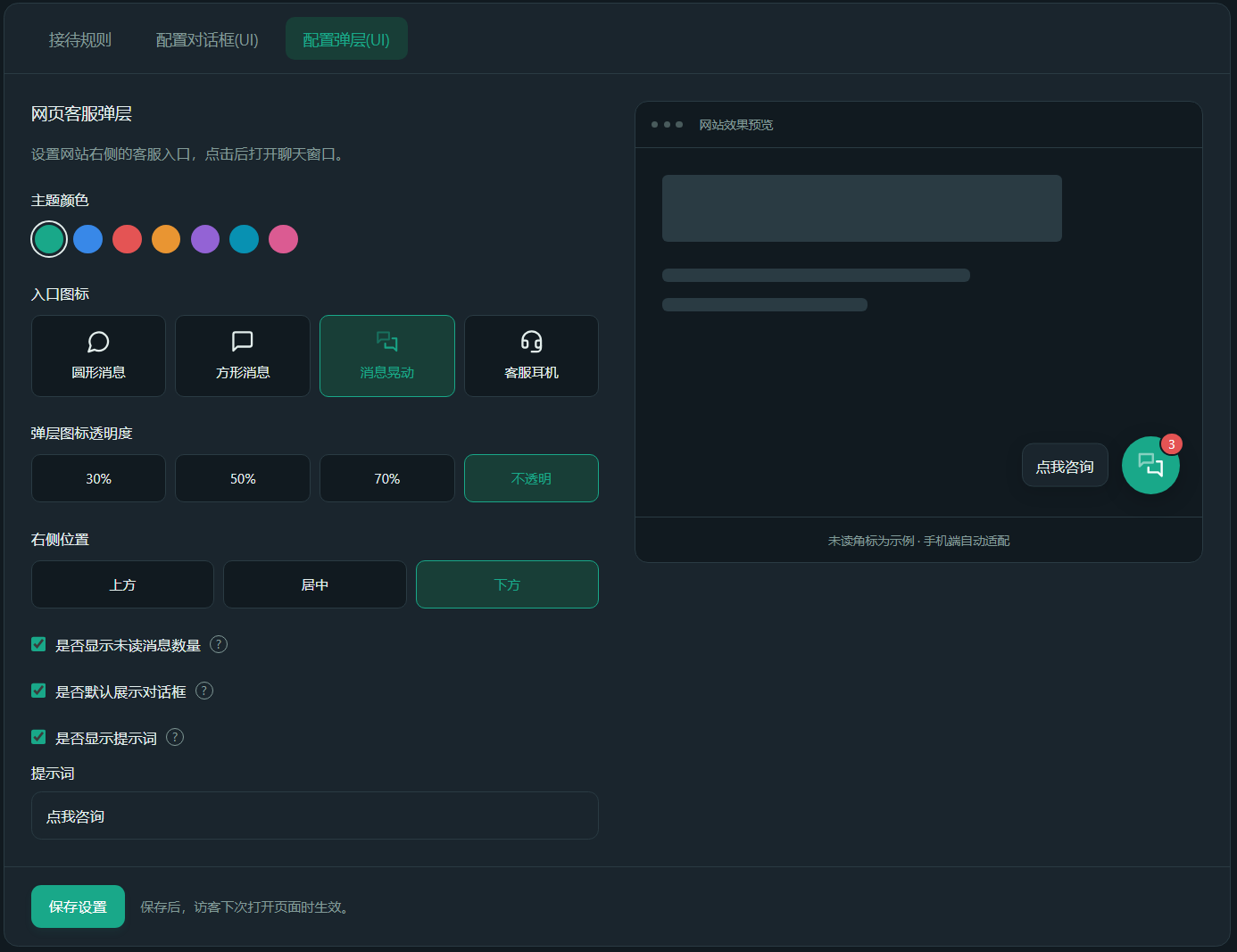
Clean up data by category and date range to protect merchant and visitor privacy.
View full image ↗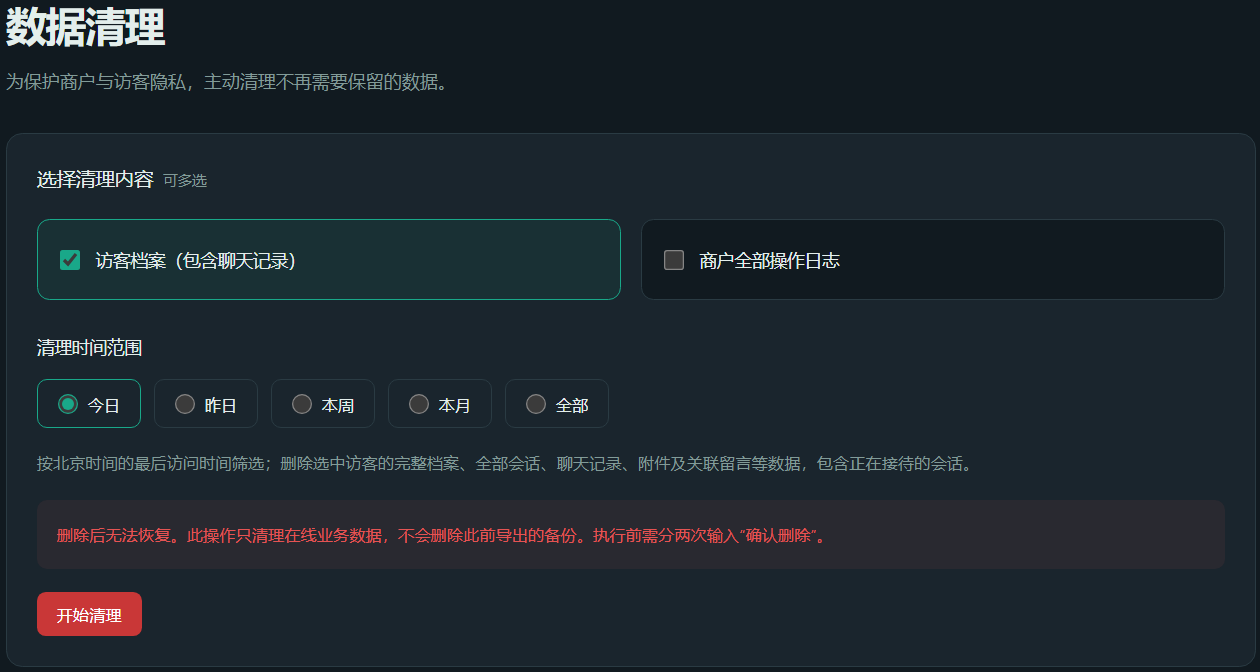
Make new connections in a familiar language. Multilingual interface and optional translation help communicate with overseas customers.
Close the distance and expand the possibilities ↗From understanding the product to after-sales support, use timely and clear responses to accompany every purchase decision.
Let services run through the purchase journey ↗Organize the reception team according to business, so that consultations are distributed in an orderly manner, questions flow smoothly, and services are more organized.
Teamwork and professionalism ↗Lightweight access allows good services to come online quickly.
Use your email address to register a merchant and start a free experience.
Add customer service and set up business grouping and branding windows.
Add the access code to the website, and customer service will be online to respond to inquiries.
Choose a solution that suits your current team and allow the service scale to expand easily.
Explore MOYU for the first time
For solo businesses and small teams
For teams working together
For larger support operations
Two-way automatic translation supports language communication following the visitor interface, which needs to be subscribed and turned on separately.
Common questions about setup, trials and support.
The merchant backend provides website access codes. Add the code to your website page to display the customer service component; if you are not responsible for website maintenance, you can give the code to the website administrator to complete the access.
By default, newly registered merchants can get 1 customer service seat, 3 days of experience, and the visitor window contains the platform promotion logo. The experience can only be claimed once. After expiration, you can choose a paid package in the merchant's backend. The actual rights and interests are subject to the background display.
The interface language is used to switch interface text such as menus and buttons; automatic translation is an independently paid value-added service used to translate chat texts between customer service and visitors. After purchase, it needs to be opened on the workbench, and the target language follows the guest interface language.
The visitor chat window adopts an adaptive layout and can be opened in desktop and mobile browsers. Customer service and merchants have separate login entrances, and it is recommended that the team use a computer workstation for centralized reception.
You can choose Standard, Premium or Professional Edition based on the customer service agents your team needs. Purchase, renewal and version adjustment are operated in the merchant's backend. The specific prices, rights and adjustment rules are subject to the backend order confirmation.